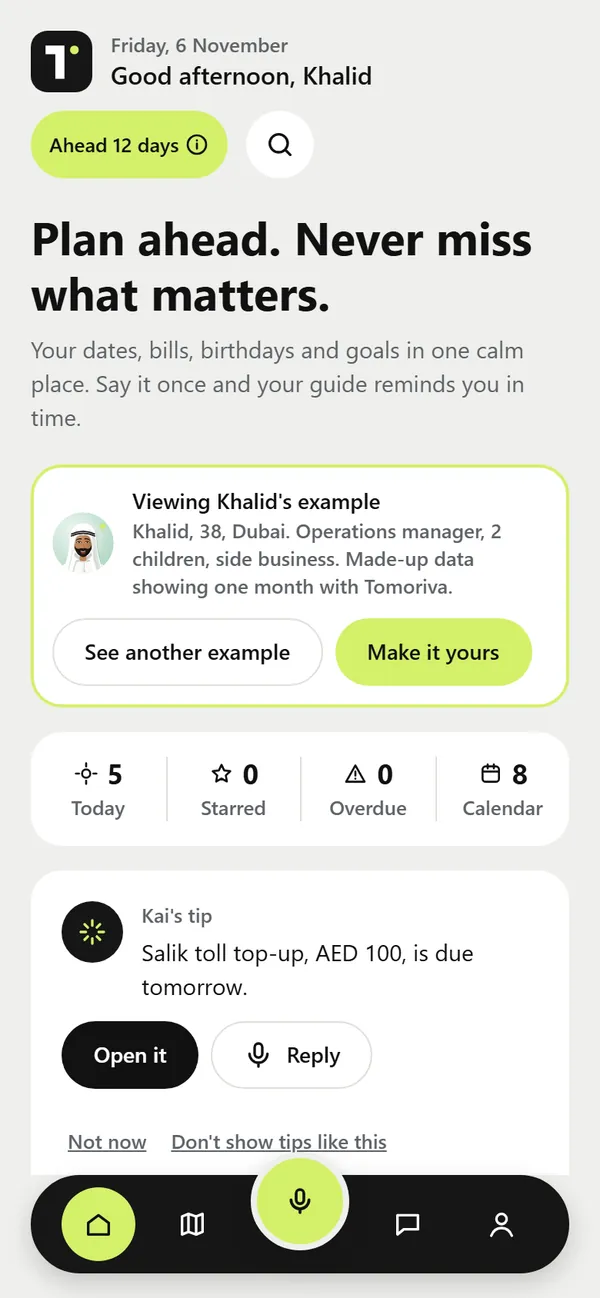
Today: what needs you now
Open the app and see what is due today, what you starred, anything overdue and a short tip from Kai about the next thing to act on.
Example"Salik toll top-up, AED 100, is due tomorrow." Open it, or reply to Kai.


Coming Mon 4 Jan · iPhone, iPad, Android and the web
Tomoriva: Goals & Life Planner · AI reminders for your future
Your goals for 2027 and the decades after. Your renewals, bills, subscriptions and birthdays too. Type it once, Kai files it, and you see what's coming.
14 days free, then AED 18 a month in the UAE. Other countries pay the store's local price. The calendar file is saved on your device; nothing is sent to us.
Why Tomoriva
Wherever you live, the important dates are scattered. Here is the problem, what Tomoriva does about it, and what changes for you.
The problem
The passport date is in an email, the insurance in a PDF, birthdays in your head and goals in a notes app. Nothing taps you on the shoulder, so late fees, fines and missed birthdays arrive after the date.
The solution
Type it once. Kai, your AI guide, turns it into a card with the date, section, amount and reminders. Anything with an amount waits for your Confirm tap; everything else saves with a one-tap Undo.
The result
You know what is due this week, this year and in ten years. You renew, pay and plan before the deadline, not after it, and your goals stay in view.
What it does
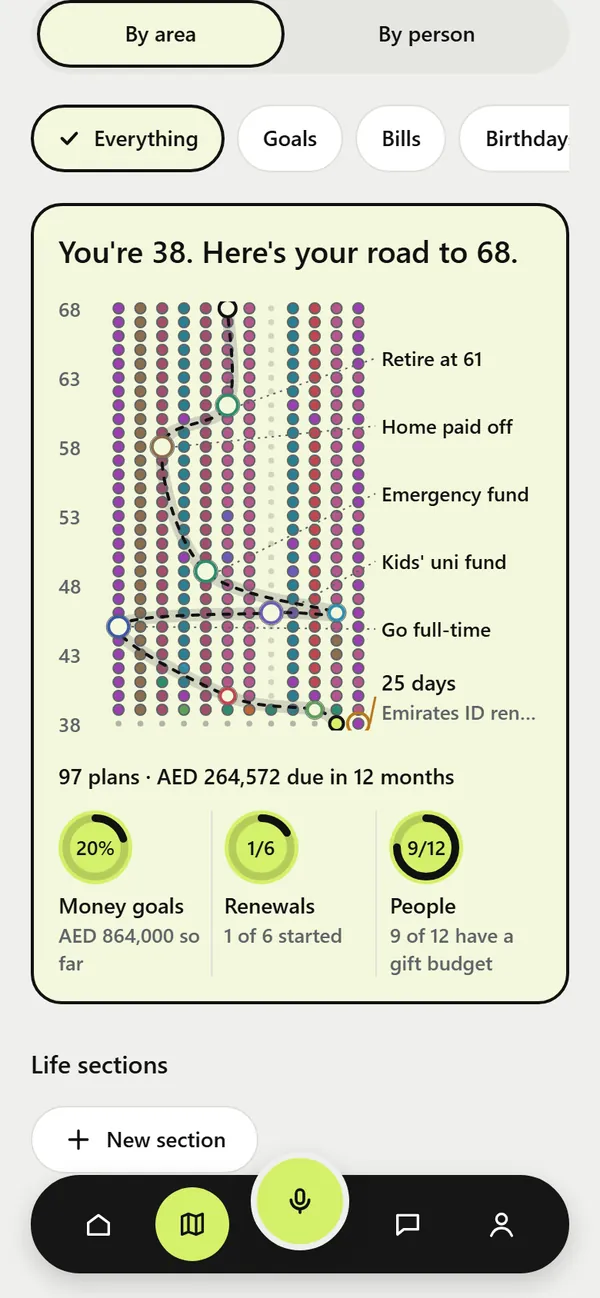
From next Tuesday to 30 years out. Every picture below is a real screen from the app, filled with made-up example people: Khalid in Dubai, Daniel in London, Maya in Mumbai, Carlos in Lisbon and Margaret in Boston.
Open the app and see what is due today, what you starred, anything overdue and a short tip from Kai about the next thing to act on.
Example"Salik toll top-up, AED 100, is due tomorrow." Open it, or reply to Kai.
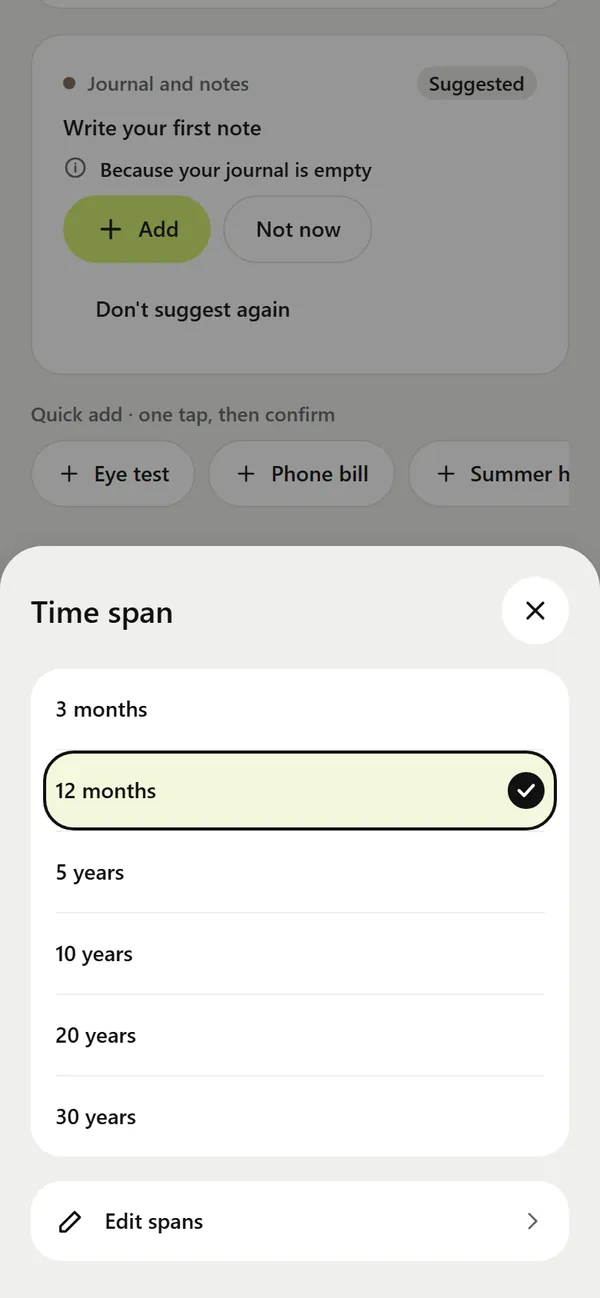
Switch the Map between the next 3 months, 12 months, 5, 10, 20 or 30 years, with your Life areas side by side: money, family, health, work, home and car, travel and more. Pick your own spans if you like.
ExampleThis year: passport renewal · 2030: home deposit · 2056: retirement plan
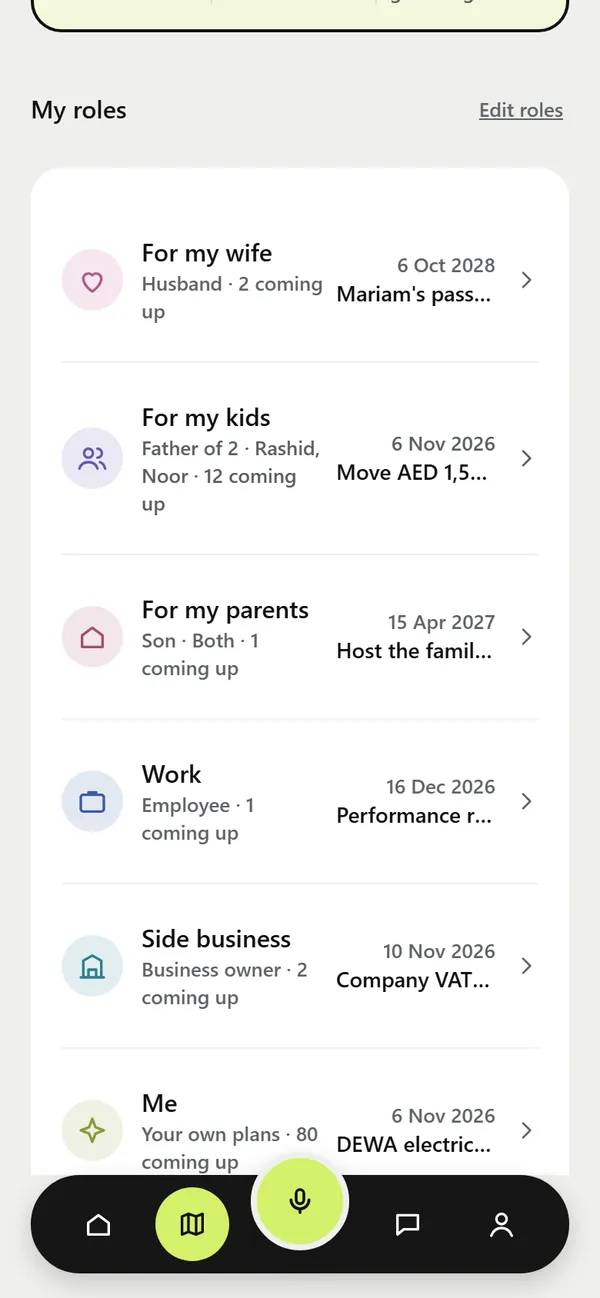
Partner, parent, child, carer, at work or in your side business. Tag an item with who it is for, and switch the Map to By person to see each role's next date. Roles are optional and you can rename them.
ExampleFor my kids: move AED 1,500 to the kids' fund · For my parents: host the family lunch
Kai never receives your children's names, only their ages, unless you type a name into a request.
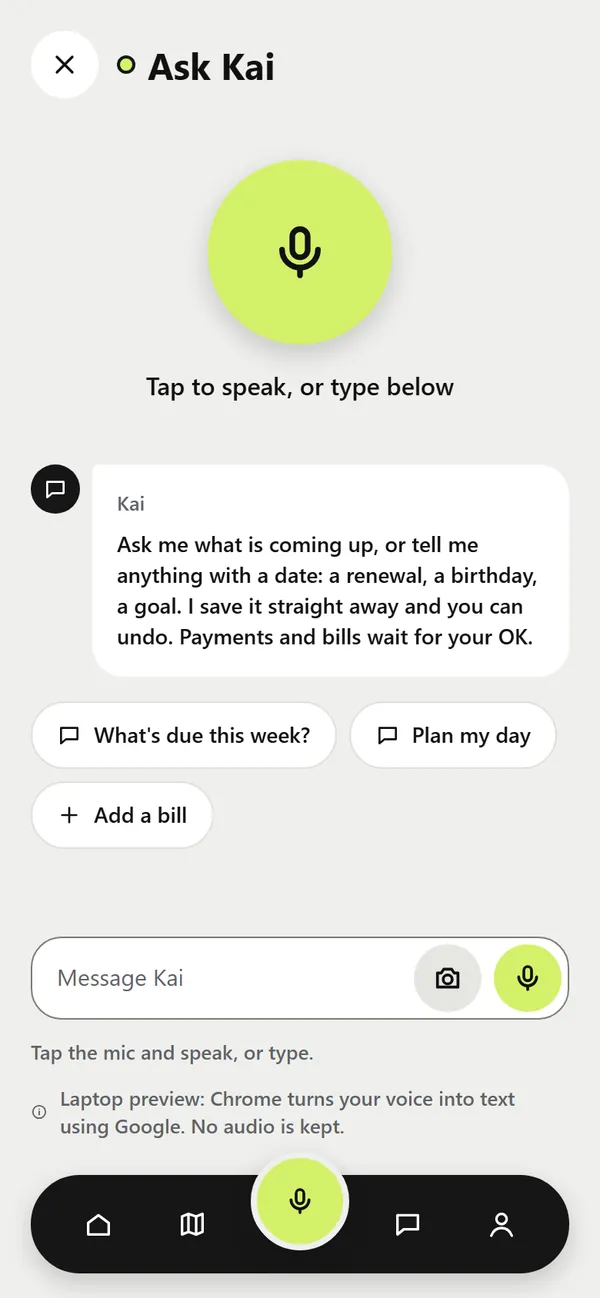
Open Ask Kai and type it the way you would tell a friend. No forms to fill in. You can also attach a photo, screenshot or PDF, or ask "What's due this week?"
Voice: in the website version, the mic works in Chrome (Chrome sends the audio to Google to turn it into text). Voice in the phone apps is being tested.
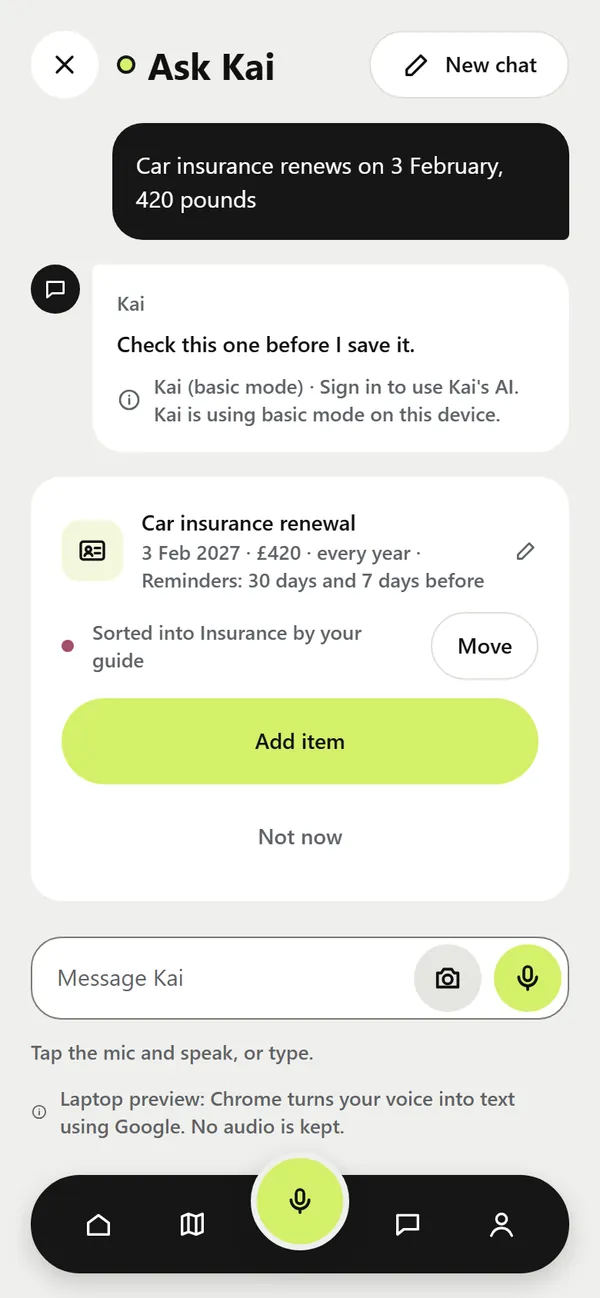
Kai, your AI guide, picks the section, the date, the repeat and when to remind you. If a note is unclear, Kai asks one quick question. Anything with an amount waits for your Confirm tap. Everything else is saved at once, with Undo.
You type"Car insurance renews on 3 February, 420 pounds."
Kai's cardCar insurance renewal · 3 Feb · £420 · every year · reminders 30 and 7 days before
Kai is an AI. It never pays, buys, books or messages anyone, and gives no financial, legal, tax or medical advice.
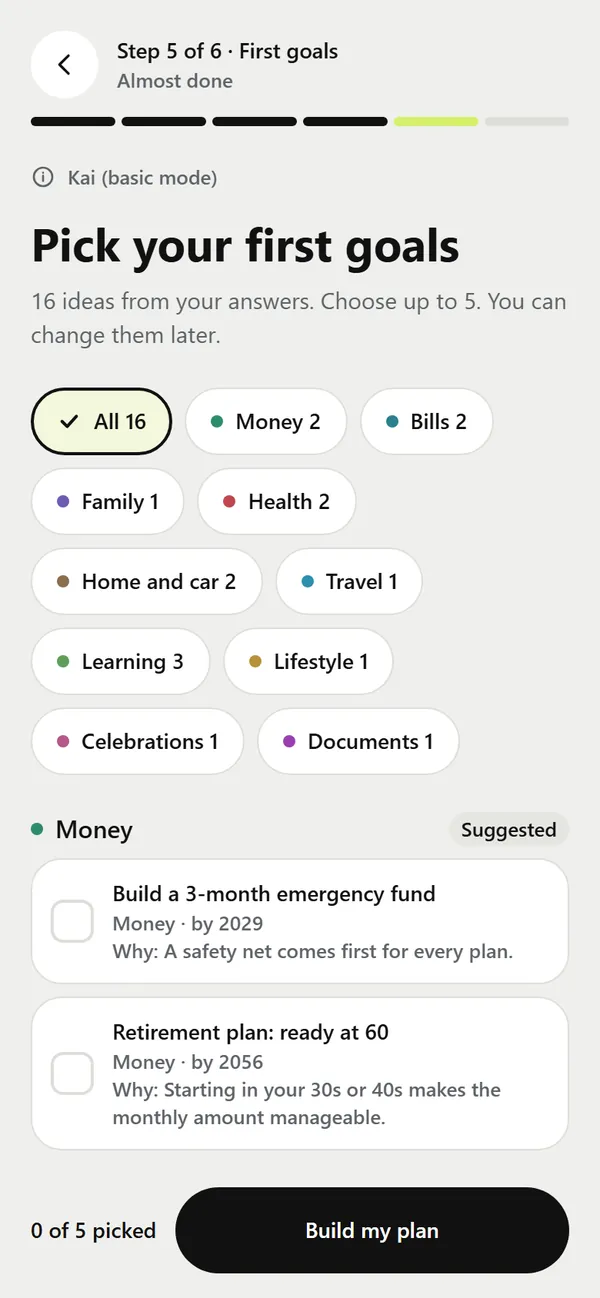
Six short, optional questions: what you do, your roles in life, where you want to be in 1, 5 or 10 years, and how Kai should talk to you. Kai then suggests first goals that fit, each with a one-line reason. Pick up to five.
Kai suggestsBuild a 3-month emergency fund · Retirement plan: ready at 60
Your answers are never used for ads or to train AI. Edit or delete them in Me, then Privacy Centre.
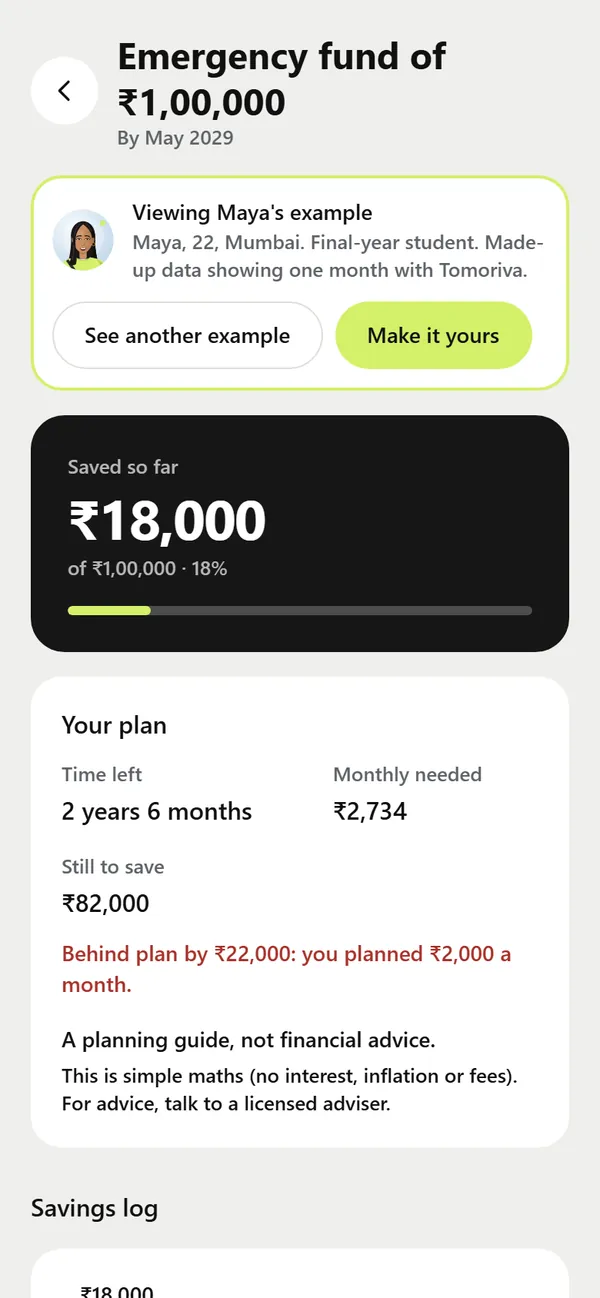
Set a goal by an age or a date, in your own currency, and Tomoriva works out the monthly amount. Log what you save, see if you are on track, and see the goal on your Map next to your age.
ExampleMaya, 22: emergency fund of ₹1,00,000 by May 2029 · ₹2,734 a month
Simple maths only (amount left divided by months left, no interest or returns). A planning guide, not financial advice.
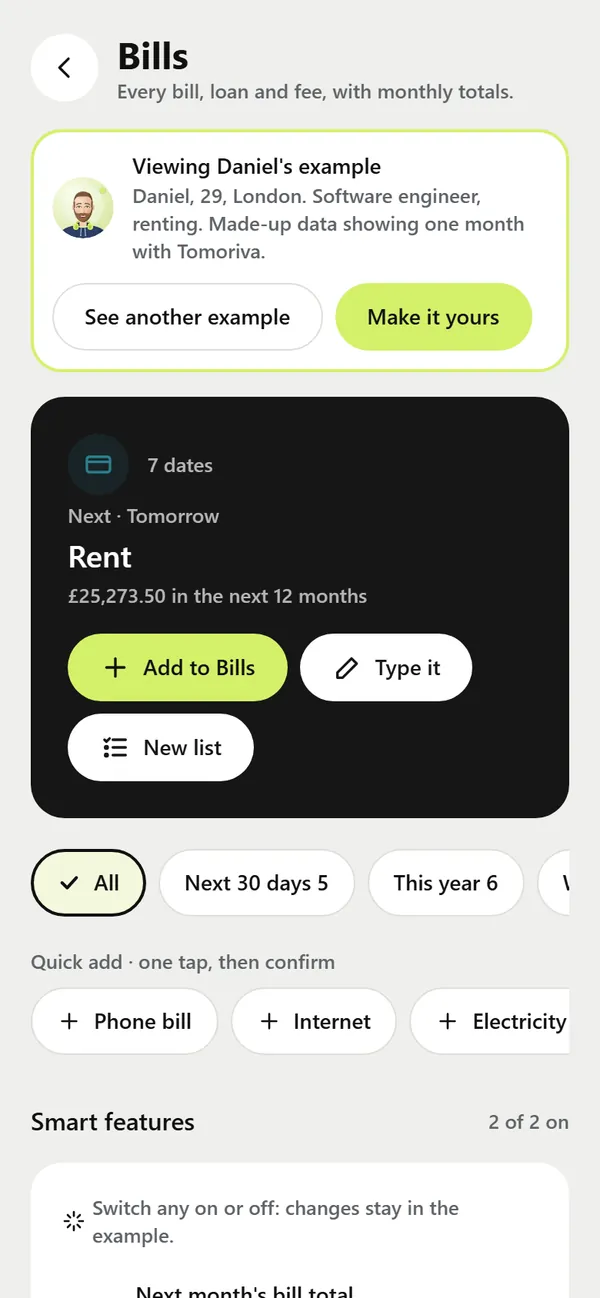
Every Life section, from Bills and Documents to Family and Travel, shows what is next, the total for the next 12 months and one-tap quick adds. Bills also shows a monthly total and what is due soon.
ExampleRent tomorrow · gas and electricity in 5 days · broadband in 8 days
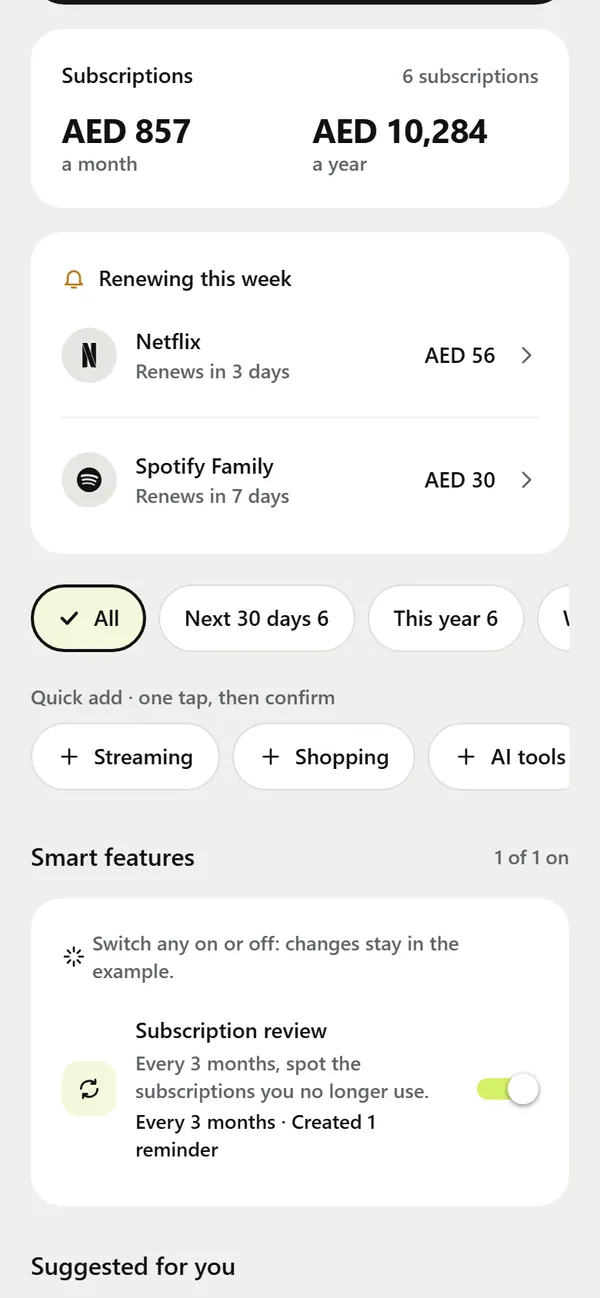
Streaming, music, cloud, software and gym plans in one list, with what you pay a month and a year, what renews this week, and a review every 3 months to spot the ones you no longer use.
Example6 subscriptions · AED 857 a month · AED 10,284 a year
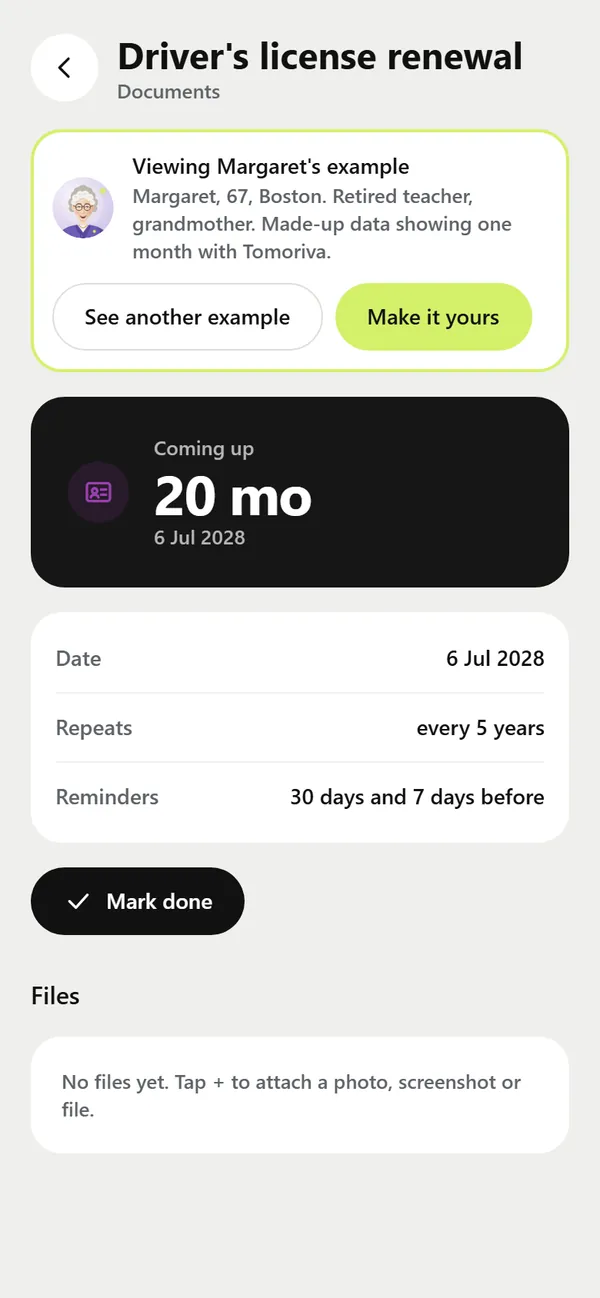
Passport, visa or residence permit, ID card, driving licence, car registration and insurance. Each one repeats on its own cycle and reminds you 30 and 7 days before, and you can attach the scan or PDF.
ExamplesDriver's license, Boston · Skilled Worker visa, London · Citizen card, Lisbon · Emirates ID, Dubai
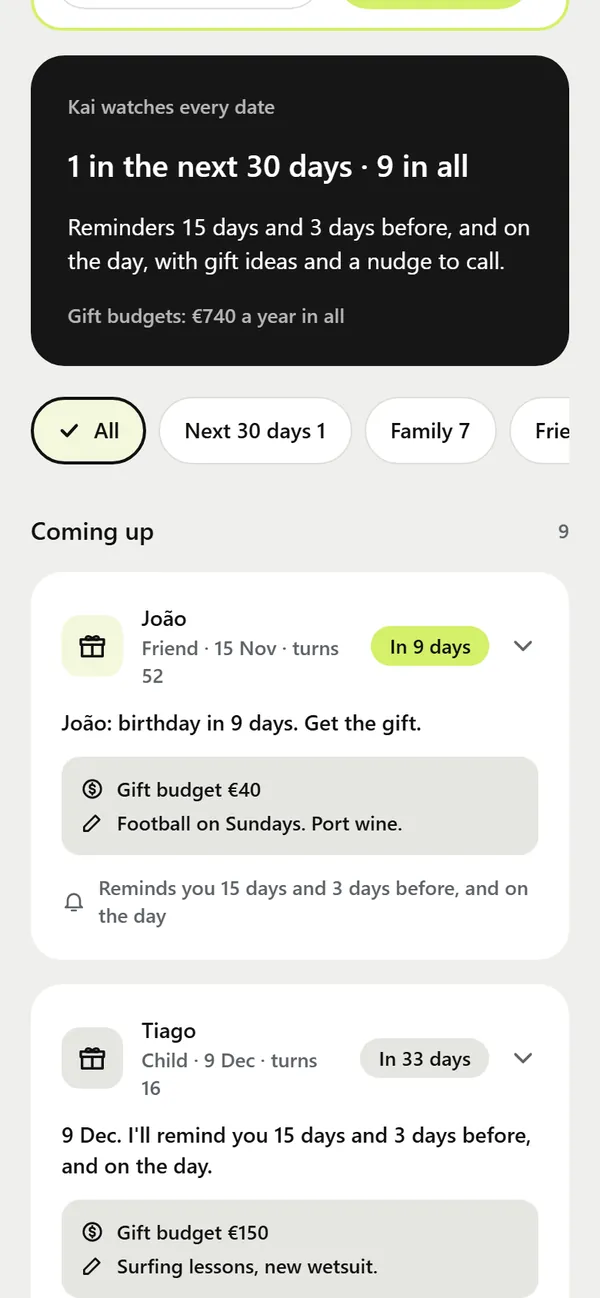
Everyone in one list, with gift budgets, gift ideas and a message idea when the day comes close. Kai reminds you 15 days and 3 days before, and on the day.
ExampleJoão turns 52 in 9 days · gift budget €40 · football on Sundays
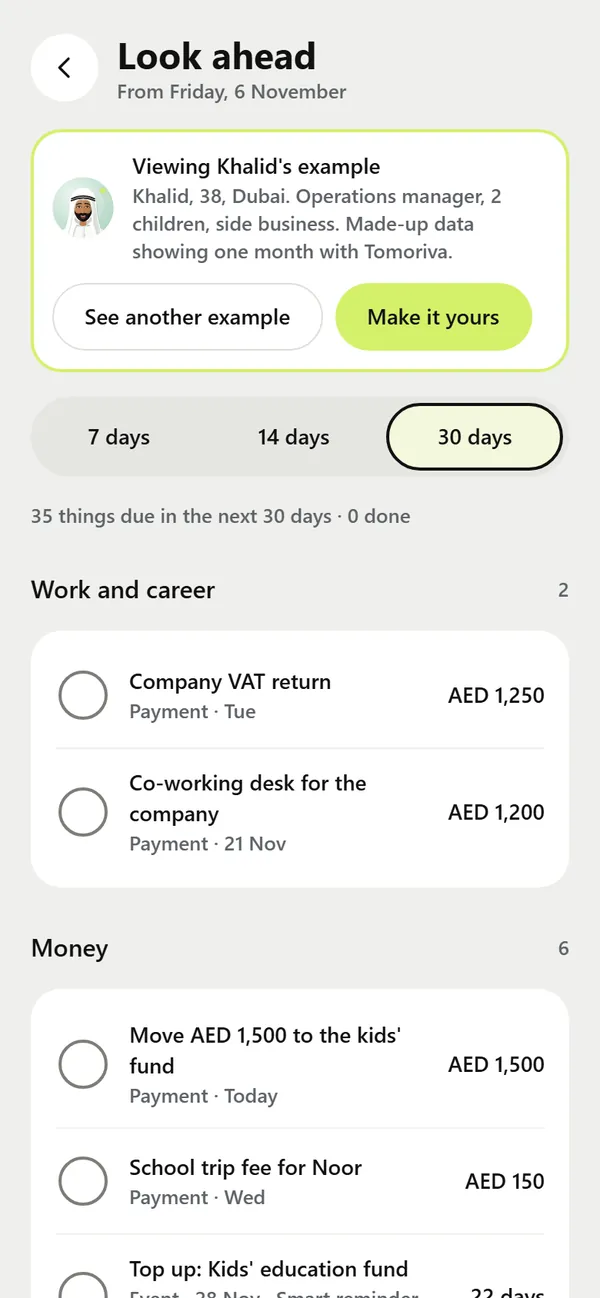
Smart lead times by type, so there is time to act. Change any of them per item. Look ahead 7, 14 or 30 days, with quiet hours from 22:00 to 08:00 and a short morning brief from Kai.
Reminders arrive on the iPhone and Android apps. The website shows everything but does not send reminders.
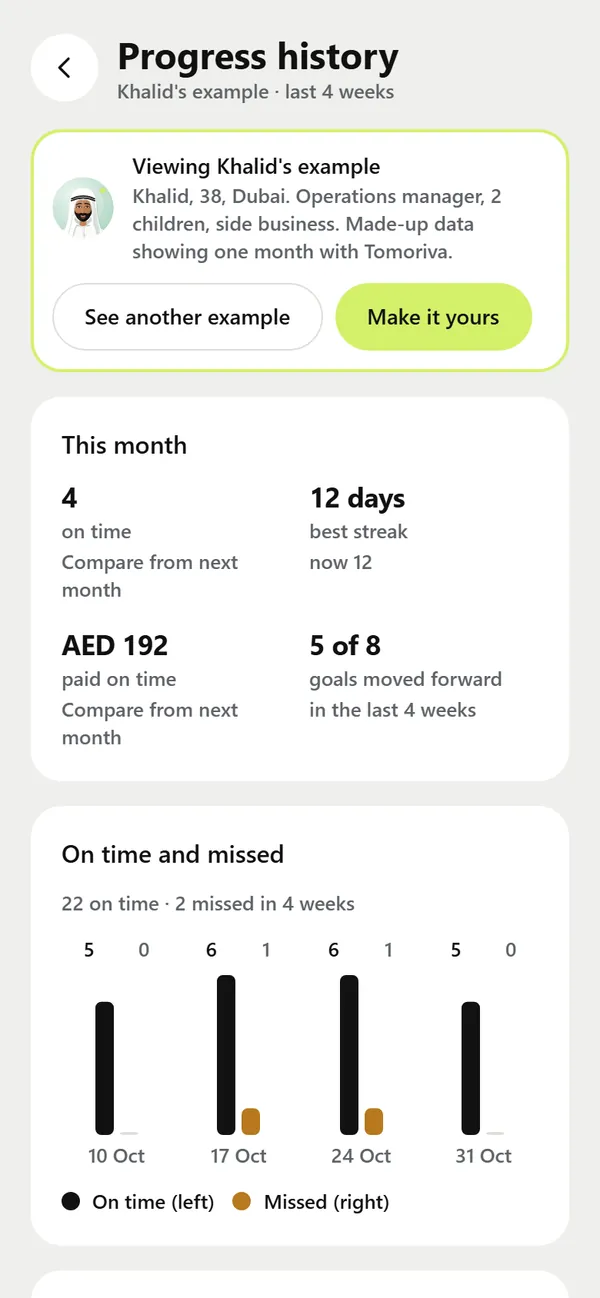
Progress history shows what you did on time, your streak, what you paid on time and which goals moved forward, week by week. Small wins, kept in view.
Example12-day streak · 5 of 8 goals moved forward in 4 weeks
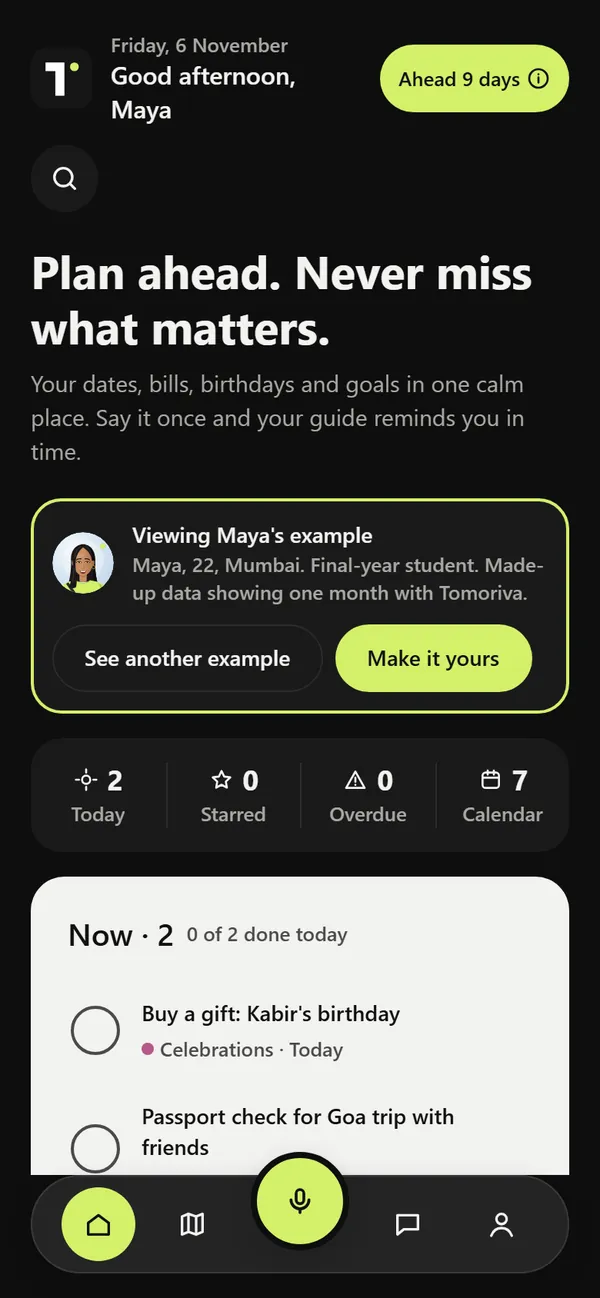
Tomoriva follows your phone's light or dark setting and your text size. Every icon has a text label for screen readers, and buttons are big enough to tap.
ExampleNow: buy a gift for Kabir's birthday · passport check for the Goa trip
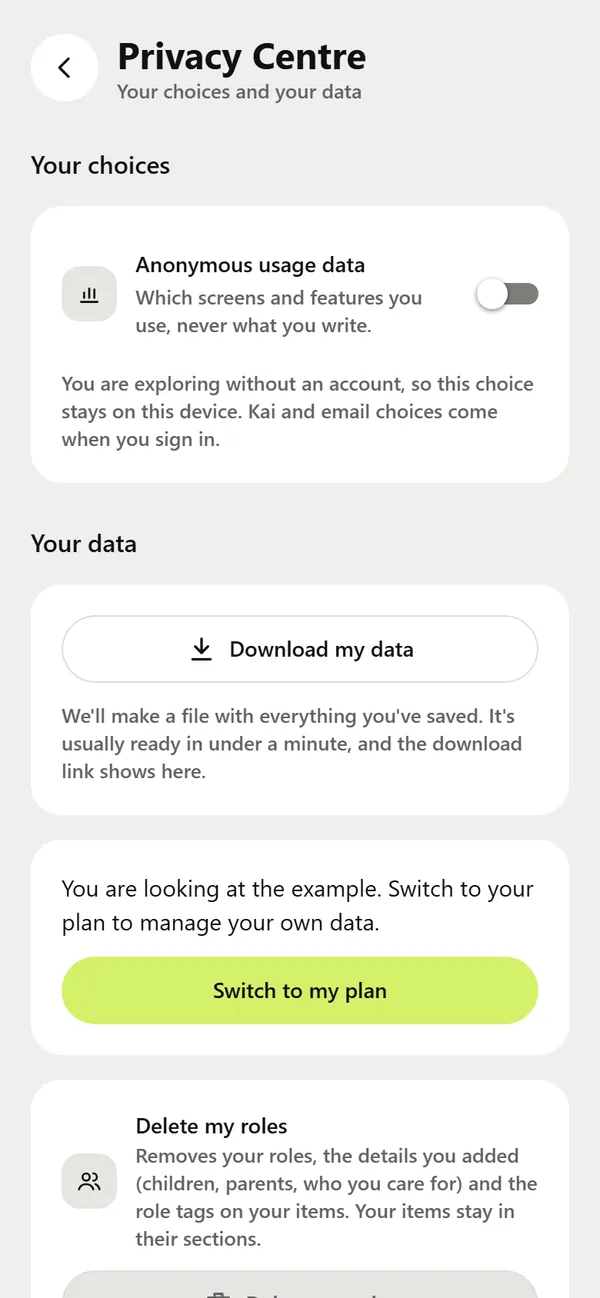
Privacy
Plans, notes, voice and documents are yours. We use them only to run Tomoriva for you.
Read the privacy policy · Who helps us run Tomoriva
How it works
Tell Kai anything with a date or a horizon: "My visa renews in March." or "Retire at 60." You can also attach a photo, screenshot or PDF.
Kai fills in the title, date, section and reminders. Bills and other money items wait for your Confirm tap; the rest saves with Undo. Change anything you like.
It appears on Today and on your Map, and the reminders arrive on your phone before the date, with time to act.
FAQ
Tomoriva is coming on Mon 4 January 2027. It is not in the App Store or Google Play yet. Add 4 Jan to your calendar and we will remind you the moment it is ready to download.
Neither. A calendar shows meetings and a to-do list shows today's tasks. Tomoriva holds everything with a date or a horizon: bills, subscriptions, renewals, birthdays, deadlines and goals years ahead, and reminds you early enough to act.
The download is free and you get 14 days free from sign-up, with everything included. After that it is AED 18 a month in the UAE, or the App Store or Google Play price for your country, shown before you buy. Cancel any time in your store account settings. If you don't subscribe, your plan stays readable: you can still view, export and delete it.
Yes. Tomoriva is made for people everywhere. Your plan uses your own currency, and you can add any kind of renewal, from a passport, visa or residence permit to a driving licence, car registration or ID card. The example people in the app live in London, Lisbon, Boston, Mumbai and Dubai. The price is AED 18 a month in the UAE; in other countries you pay the App Store or Google Play price for your country.
iPhone, iPad, Android phones and tablets, and a website version in your browser. One account and one subscription work on all of them.
Kai is an AI guide, not a person. It suggests, you decide: anything with an amount waits for your Confirm tap, and everything else can be undone in one tap. It never pays, buys, books or contacts anyone, and never gives financial, legal, tax or medical advice.
Your data is used only to run Tomoriva for you. It is never sold, never used for ads and never used to train AI models. You can download or delete it in the app at any time: Me, then Privacy Centre. Details are in the privacy policy.
28 days free for new accounts instead of 14, with no payment details and no charge when it ends. Enter the code within 48 hours of signing up. Details are in the Terms, Invite rewards.
Tomoriva is made and run by Gifson Dsouza, an individual developer in Dubai, United Arab Emirates. Questions go to [email protected].
Email [email protected] or visit the support page.
Get Tomoriva
One account works on iPhone, iPad, Android and the website.
Not in the App Store yet. Until launch, this button takes you to our social links.
Not on Google Play yet. Until launch, this button takes you to our social links.
Apple, the Apple logo, iPhone and iPad are trademarks of Apple Inc., registered in the U.S. and other countries. App Store is a service mark of Apple Inc. Google Play and the Google Play logo are trademarks of Google LLC.
There is no waitlist and nothing to sign up for. Add the day to your calendar and we will remind you the moment Tomoriva is ready to download.
Questions before launch? Email [email protected].